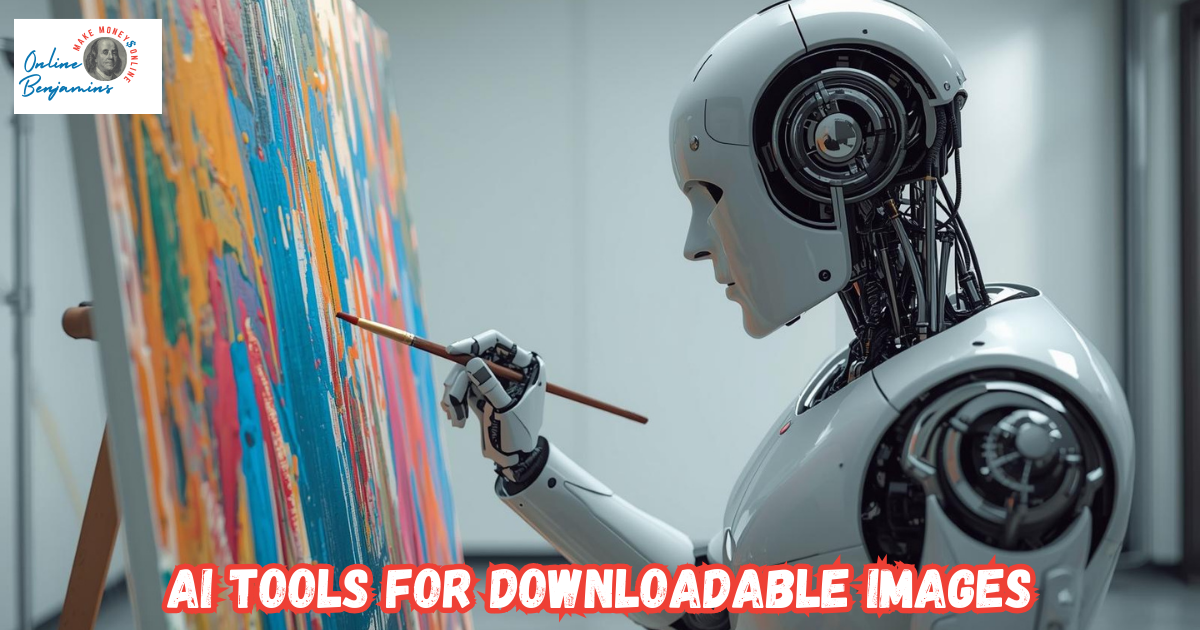
Using AI tools to create downloadable images can really change the way I handle digital projects, marketing pieces, or even hobby artwork. These tools make it easy for anyone to create high-quality visuals ready for printing or social media sharing.
After testing out several myself, I’ve noticed just how quickly a simple idea or text prompt can become a polished image I can use immediately. In this guide, I’ll lay out what you need to know so you can pick the best tool for your needs—whether you’re after artistic designs, commercial-ready graphics, or just something fun for online sharing.

Why Pick AI Tools for Creating Downloadable Images?
AI tools have turned image creation into a task I can knock out in minutes, with no traditional design chops needed. These platforms use smart algorithms to figure out my text instructions and create images I can download in standard formats like PNG or JPG.
For business owners, marketers, teachers, or content creators, this cuts out the waiting and slashes costs compared to buying stock images or hiring artists. Now, almost anyone can get visuals that actually match their vision, while keeping control over copyright and how they use the images.
These tools are so approachable now that beginners can jump in easily—most popular platforms offer simple prompts, settings I can slide to customize. For advanced users, there are style controls, upscaling, and options to tweak the output, all letting creativity loose. Regardless of skill level, these tools are changing the game for digital design and editing.
What Makes a Standout AI Image Tool?
From my experience with many AI image generators, a few features really stand out if I want results I’m actually proud to download and use. Here’s what I’m checking before picking a tool:
- Quality and Realism: Images need to be high-resolution with barely any weird artifacts, so they look sharp, not blurry or awkward.
- Easy Prompting: The best tools let me type out natural descriptions, often with prompt examples for inspiration.
- Download Options: I want quick export for standard formats (PNG, JPG) in the size that fits my project, whether for print or online.
- Style Control: Tweaking the style—like realistic, cartoonish, or painter mode—increases my odds of getting the vibe right.
- Editing and Refinement: Handy tools for color tweaks, removing backgrounds, or adding captions make my life easier.
- Commercial Rights: Clear info on whether I can use images in business projects or ads is crucial.
Smart researching helps me find which platforms work for my goals, be it quick sketches or polished commercial graphics. Staying on top of terms of use and copyright keeps my project safe in the future.
Top AI Tools I Recommend for Downloadable Images
With so many options now, here are the AI tools I use the most. Each one has its own strong suit, but they all make it easy to grab finished images.
- Midjourney: Awesome when I want next-level cool artwork with a fresh twist. It runs through Discord, and though the prompt system takes a minute to get used to, the images are often eye-catching. Great for social posts or creative projects. It’s subscription-based, and downloads are simple on the platform. Learn more about Midjourney.
- DreamStudio (Stable Diffusion): Perfect for projects that need really fine control. It gives loads of style options and generates detailed, high-res images. Handy editing and upscaling features are included, making it ideal for print or business. Try it at DreamStudio.
- Canva (Magic Media): If I need AI images woven into social posts or designs, Canva is my speedy go-to. Images pop out from prompts, and I can layer them with templates or text instantly. Great for marketing, with all the download formats I need. Works for both free and pro users. Check out Canva’s Magic Media.
- Microsoft Designer/Image Creator: Running on DALL·E 3, this one’s super friendly for beginners. Simple prompts, free with a Microsoft account, and downloads in just one click. I use it mostly for quick and practical visuals. Explore Microsoft Designer.
- Adobe Firefly: Plugged into Photoshop and Illustrator, Firefly is the pick for pros or anyone needing business-friendly images. Adobe makes licensing and safety a priority, so I don’t sweat copyright issues. The built-in editing and tuning tools are hard to beat. Learn more at Adobe Firefly.
- DALL-E 3 (ChatGPT/Copilot): For prompt accuracy and detailed scenes, DALL-E 3 is on top. It’s available via ChatGPT or Copilot and generates intricate, well-structured images. Grabbing different sizes is easy, too. More info at DALL-E 3.
- Leonardo.ai: Excellent when I want photorealistic or artistic visuals. Their Canvas Editor for touching up after generation is super handy for product mockups or pro graphics. Free credits every day. Visit Leonardo.ai.
- Freepik AI: My go-to for stock-level assets or backgrounds, and I can get 40 free images a day. Licenses are clearly explained, and use cases are easy to filter. Start at Freepik AI.
- Ideogram: For prompts that need to show text in the image, like custom signage or shirts, Ideogram does it best. Downloading is direct, and style wheels help polish the look. Try Ideogram.
- Craiyon: For unlimited, totally free image generation, Craiyon is my quick-fire resource. Results can be rough, but they’re fine for fast drafts or testing ideas. No account needed. Check out Craiyon.
- QuillBot AI Image Generator: Super handy for blog visuals or web images. Several free images each day, a simple interface, and you get PNG output. Explore QuillBot AI Image Generator.
How to Get Started With AI Image Generators
Jumping into AI image tools for the first time might feel intimidating, but trust me, the learning curve is short, and the payoff is big. Here’s how I recommend diving in:
- Pick a platform that suits your skills and what you want to make. Canva, Microsoft Designer, or Craiyon are solid for newbies; Midjourney or DreamStudio are better if you want more creative freedom.
- Write a prompt. Clear, detailed phrases usually get better results. I like testing variations and adding details about style or mood.
- Preview and download. Most tools show images quickly, so I can download my favorite version right away.
- Edit if needed. Some let me tweak colors or add words before downloading. If not, I sometimes use a separate editor for postprocessing.
- Check licensing—this matters if you want to use the image for business. Not all free outputs are cleared for commercial use, so a quick read of the terms is smart.
Repeating this flow just a few times really builds confidence and polishes my promptcraft for more reliable results every time.
Common Challenges and Pro Tips
While AI-generated images can save me loads of time, I still bump into some challenges along the way. Here’s how I handle them:
- Prompt Interpretation: Sometimes, the AI misreads my idea. Tweaking the prompt or adding more details gets better images.
- Resolution Cap: Some free tools limit image size. Upgrading to a paid plan or using a tool with upscaling fixes this issue.
- Artifact Glitches: Weird visual hiccups can pop up, especially with busy scenes. I stick with simpler backgrounds or use an editor to tidy up after.
- Style Consistency: Keeping the style uniform over several images can be tricky. DreamStudio and Midjourney are my picks for series or sets.
- Commercial Rights: Every platform is different, so I turn to trusted names like Adobe Firefly or Freepik for projects that matter to clients.
The more I use these tools, the easier it gets and the quicker I am at crafting prompts. Plus, new features keep rolling out, opening up possibilities all the time.
How I Actually Use Downloadable AI Images
Since getting into AI image generators, I’ve used the images for:
- Social Media: Quick, eye-catching pictures for posts—great for growing engagement on Instagram or LinkedIn.
- Blogs and Websites: Custom illustrations, headers, or infographics that help posts really stand out.
- Marketing: Flyers, ads, or banners with unique visual twists, no more boring stock images.
- Slides and Presentations: Fresh backgrounds and clever icons for PowerPoints or Keynotes.
- Print Merch: T-shirt designs, mugs, or even stickers for my shop or friends.
- Education: Easy-to-digest graphics for classroom topics or e-learning content.
Being able to create images just for my project, rather than digging through stock sites, lets me add personality and uniqueness to every piece I make.
Frequently Asked Questions
Can AI-generated images be used for commercial projects?
Most of the time, yes. Trusted tools like Adobe Firefly, Canva, or Freepik make terms clear for business use. Still, I always check the licensing details before putting images out for sale or distribution.
How do I get the most accurate results from a text prompt?
I’m specific about what I want: subject, background, and mood. If the image isn’t right, I adjust my wording or add style info until I get what I’m after.
What if the mage quality is too low for printing?
Upscaling tools, either built in or separate, help a lot. I also export as PNG because it tends to have more crisp detail than JPG.
AI image tools are setting free creativity for anyone, not just the pros. With a bit of practice and the right tools, making and downloading custom images is getting easier and more exciting every week.
Check Out Our Most Recent Articles:
- How To Monetize A Niche Blog With Less Than 100 Daily Visitors
- 5 Step Guide To Using Email Content Funnels for Affiliate Marketing
- Top Email Marketing Tools For Monetization Success
- Affiliate Marketing Vs Ad Revenue: Which Pays Creators Better?
- Highest Paying Ad Networks For Niche Bloggers
- How To Monetize A Niche Blog With Low Traffic
Wishing You Much Success in Creating Downloadable Images with AI,

- onlinebenjamins.com
- thebeachangler.com
- thesinnerinthemirror.com
- diyoutdoorsmen.com
- Facebook: Online Benjamins
- Twitter: @onlinebenjamin1
- Instagram: dotcomdinero
- YouTube: Online Benjamins
Rex
P.S. If you have any questions or are unsure of anything, I am here, and I promise I will get back to you on all of your questions and comments. Just leave them below in the comment section. Follow me on Twitter: @onlinebenjamin1, Instagram: dotcomdinero, and Facebook: Online Benjamins. high-quality


Hi,
Thanks for stopping by and congratulations for taking the first steps to building your own online business. I’ve been in business both offline and online since 1997. I would consider it an honor to help you build your business. Father of 3, life long outdoorsman with an education in Genetics and Economics. This site is about cutting through the BS and finding the real opportunities in the online world. I look forward to working with you.