
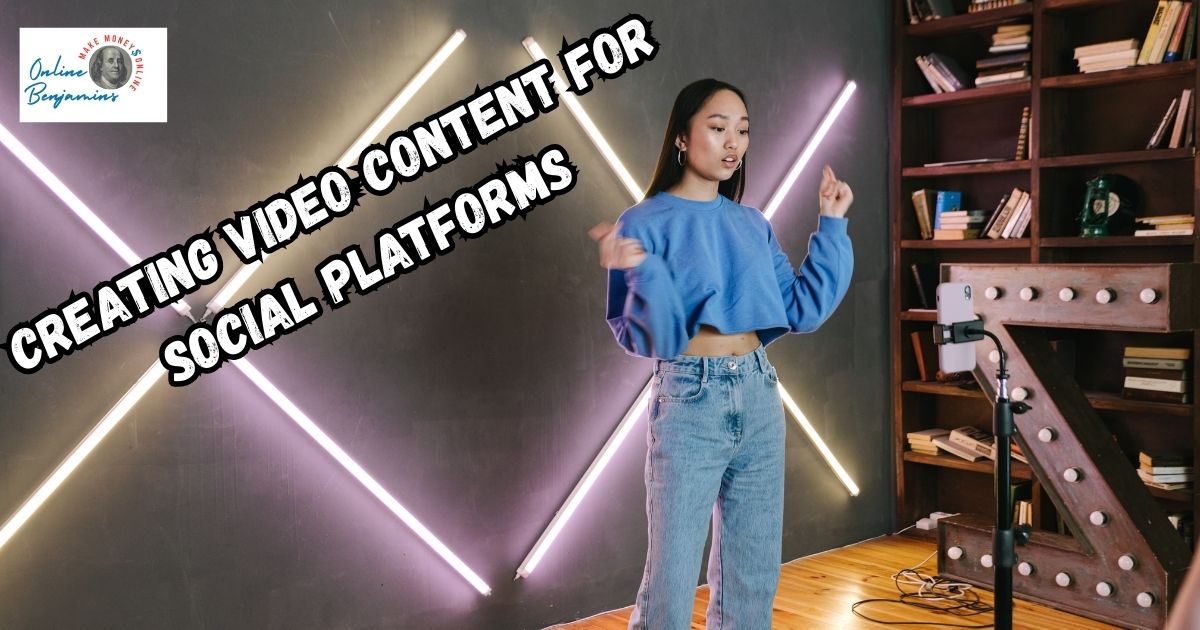
Video content has become one of my go-to tools for boosting engagement on social platforms. Whether I’m sharing quick tips, telling stories, or introducing a new product, videos attract more attention and drive interactions much more effectively than plain text or still photos.
QUICK LOOK: – How to Make Engaging Video Content for Social Platforms
- Start with a Hook: I try to make the first three seconds count. Whether it’s a big visual, a question, or a bold statement, those opening moments decide whether someone will keep watching.
- Keep it Short and Snappy: Most of my high-performing videos are under a minute. Platforms like TikTok and Instagram Reels are built for quick content, so I try to keep things brief and energetic.
- Design for Mobile: I shoot videos vertically since that’s how most people hold their phones. I add captions or onscreen text for viewers who can’t turn their sound on, making my message clear even if they watch in silence.
- Show Real People and Authentic Stories: Viewers like seeing behind-the-scenes footage, employee introductions, or real testimonials. This makes the brand or creator feel approachable and relatable.
- Encourage Interaction: I include polls, questions, or prompts to comment. Sometimes I use interactive stickers on Instagram Stories or place a simple “What do you think?” question at the end.
- Create a Clear Call to Action (CTA): Every video I post has a purpose. I end with a simple direction, like “Share your thoughts below,” “Save this video for later,” or “Check the link in my bio.”
If you’re hoping to strengthen your presence online, understanding how to use video is a real advantage. I’ll share the key benefits, practical strategies, and essential tips to help you create video content that people want to watch, share, and talk about.
Why Video Content Gets People to Engage
Watching videos feels natural and easy. People online are constantly scrolling, and I’ve seen that videos have a way of making them pause. Motion, color, sound; these elements all work together to call out for attention. In my experience, starting a video with an interesting scene or a catchy line gets far more viewers than a static picture ever could.
Videos do more than just gain attention. They let me connect with my audience in a more personal way. When I feature people, tell a story, or just show real moments, viewers seem to build more trust and stay tuned in. This is especially helpful for businesses and creators who want followers to remember them.
Complex ideas feel less daunting with video, too. A quick demonstration or a brief animated explainer can be easier to grasp than a long paragraph. Because our brains process visuals much faster than words, viewers can learn or feel inspired within seconds.
Since platforms like Instagram, TikTok, and Facebook want users to spend more time watching and interacting, I’ve noticed my videos get pushed out to more people. The more engaging my video is, the more likely the platform’s algorithm is to showcase it to a wider group, so videos are a smart way to get noticed.
One thing I love about video is how often people share them. A funny reel, a touching story, or even a useful tip video can quickly get sent from one user to hundreds or thousands more, all without needing paid ads.
I keep a few practical guidelines in mind whenever I make videos with the goal of getting more engagement. Here’s what works for me and many others:
- Start with a Hook: I try to make the first three seconds count. Whether it’s a big visual, a question, or a bold statement, those opening moments decide whether someone will keep watching.
- Keep it Short and Snappy: Most of my high-performing videos are under a minute. Platforms like TikTok and Instagram Reels are built for quick content, so I try to keep things brief and energetic.
- Design for Mobile: I shoot videos vertically since that’s how most people hold their phones. I add captions or onscreen text for viewers who can’t turn their sound on, making my message clear even if they watch in silence.
- Show Real People and Authentic Stories: Viewers like seeing behind-the-scenes footage, employee introductions, or real testimonials. This makes the brand or creator feel approachable and relatable.
- Encourage Interaction: I include polls, questions, or prompts to comment. Sometimes I use interactive stickers on Instagram Stories or place a simple “What do you think?” question at the end.
- Create a Clear Call to Action (CTA): Every video I post has a purpose. I end with a simple direction, like “Share your thoughts below,” “Save this video for later,” or “Check the link in my bio.”
Tips for Making the Most of Video Algorithms
Social media platforms reward users who keep viewers engaged. This means a video that gets watched from start to finish, especially if viewers interact with it, stands a much better chance at reaching more people. Here are a few tactics I use to boost my results:
- Watch Time Matters: If people watch my videos to the end or even rewatch, platforms see that as a positive signal. I try to keep the suspense going and reveal key info toward the end to encourage longer viewing.
- Post Consistently: Algorithms boost creators who post regular content. Even if I don’t have time for a highly produced video, short updates or quick clips help me stay visible and memorable for followers.
- Jump on Trends: Following trending themes or using popular sounds can make videos more discoverable. I keep an eye on what’s taking off on TikTok or Instagram and find ways to put my own spin on it.
- Use Relevant Hashtags and Descriptions: The right hashtags and clear, keyword-rich captions help my videos be found by new, interested viewers. I keep captions concise and make sure the most important points land in the first sentence.
Common Challenges with Video Content, and How I Handle Them
Making videos is rewarding, but sometimes it brings a few roadblocks. Here’s what I’ve learned from my own experiences:
- Feeling Overwhelmed by Gear: It’s easy to think you need a fancy camera, but I often use my phone and some good lighting. Natural light and steady hands, or a simple tripod, make a big difference.
- Editing Takes Time: My first edits were rough. With free mobile apps, I found templates and simple tools that sped up my process a lot. I focus on cuts and pacing instead of flashy effects, which helps videos feel more natural.
- Stage Fright: I used to be nervous talking on camera. After a few tries, I realized viewers prefer authenticity over perfection. Stumbling over a word here or there just makes me relatable.
- Not Getting Immediate Results: Some videos flop, and that’s normal. I look at which posts do well and try to learn from the reactions, tweaking my style or topics as I go.
Handling Audio and Subtitles
A surprising number of people watch videos without sound, especially in public. So, I always include subtitles or simple text overlays to make sure the main point comes across. Sound effects or background music are nice, but I make sure nothing is lost if they’re muted.
Balancing Quality and Quantity
Posting often helps me stay on people’s feeds, but not at the expense of quality. I work from a simple content calendar and focus on helpful or entertaining topics rather than posting just to fill space.
Creative Ways to Use Video Content
Video isn’t just about trends or viral dances. I’ve found a range of formats that work really well across different platforms.
- How-To Guides & Tutorials: Quick demos of products or skills perform well, especially if they solve a common problem. For example, I like to break complicated steps into short segments that are easy to follow.
- Behind the Scenes: People enjoy seeing the process, whether it’s creating a product or preparing for an event. This builds trust and makes a brand feel open.
- Product Demos & Testimonials: Short, honest reviews from real customers carry a lot of weight. These videos help other viewers trust what I’m offering.
- Live Q&A Sessions: I interact directly with my audience and answer their questions in real time. It’s a great way to build a sense of community and collect immediate feedback.
- User Generated Content: Encouraging followers to create and tag their own videos expands my reach and supplies fresh content. I sometimes run contests or provide hashtag challenges to motivate participation.
Getting Started: My Simple Video Creation Checklist
When I plan my videos, I follow a short checklist to stay organized and keep things easy:
- Pick One Clear Message: I decide what point or story I’m telling before I hit record.
- Outline a Quick Script: Jotting down main points helps keep my message focused and my video short.
- Check Lighting and Sound: I film near a window or in a spot with even lighting. I also test for background noise.
- Add Captions or Text: I use apps or platform tools to make sure every viewer gets the full experience, sound on or off.
- Plan a Clear CTA: I always tell viewers what I’d like them to do next: visit a link, comment, or share.
Using this simple flow has saved me time and made my videos more effective.
Frequently Asked Questions
I’ve gotten several questions while sharing tips about making video content work on social platforms. Here are the most common ones and what I usually advise:
How often should I post videos to keep people engaged?
Posting at least once or twice a week works well for me. Consistency builds expectations with followers and signals to the platform’s algorithms that I’m a regular and active user.
What’s the ideal length for a social media video?
Shorter videos get more engagement. Typically, I aim for 30 to 90 seconds for most platforms, though live streams or longer tutorials can be a bit longer if they provide real value.
Do I need expensive software or equipment?
No fancy equipment needed. Most smartphones have great cameras, and there are free or cheap apps for editing. The content and creativity matter more than high-end gear.
How can I tell if my video is working?
I check the engagement stats, like views, likes, comments, and shares, on each platform. If a video holds attention and gets people interacting, I know I’m on the right track.
Videos continue to grow as one of the most reliable ways to get real attention and interaction online. By focusing on authenticity, clear value, and a little creativity, I make sure my videos don’t just get watched; they start conversations and build real connections.
With some practice, a basic checklist, and a willingness to learn, anyone can turn video content into an engagement powerhouse. As social media keeps evolving and new features pop up, staying adaptable will help you get even better results from your videos. Don’t be afraid to experiment and interact with your audience—your next-level cool moment might be just one clip away.
Check Out Our Most Recent Articles:
- Increasing Engagement To Boost Affiliate Marketing Income
- Scaling Content Production Without Increasing Costs

- Balancing Content Quality And Posting Frequency

- Is The Dreaded Google “Shadow Ban” Real?

- Low Website Traffic Affecting My Google AdSense Earnings

- Best Strategies To Overcome Content Creator Burnout

Wishing You Much Success with Your Video Content,

- onlinebenjamins.com
- thebeachangler.com
- thesinnerinthemirror.com
- diyoutdoorsmen.com
- Facebook: Online Benjamins
- Twitter: @onlinebenjamin1
- Instagram: dotcomdinero
- YouTube: Online Benjamins
Rex
P.S. If you have any questions or are unsure of anything, I am here, and I promise I will get back to you on all of your questions and comments. Just leave them below in the comment section. Follow me on Twitter: @onlinebenjamin1, Instagram: dotcomdinero, and Facebook: Online Benjamins.


Hi,
Thanks for stopping by and congratulations for taking the first steps to building your own online business. I’ve been in business both offline and online since 1997. I would consider it an honor to help you build your business. Father of 3, life long outdoorsman with an education in Genetics and Economics. This site is about cutting through the BS and finding the real opportunities in the online world. I look forward to working with you.