
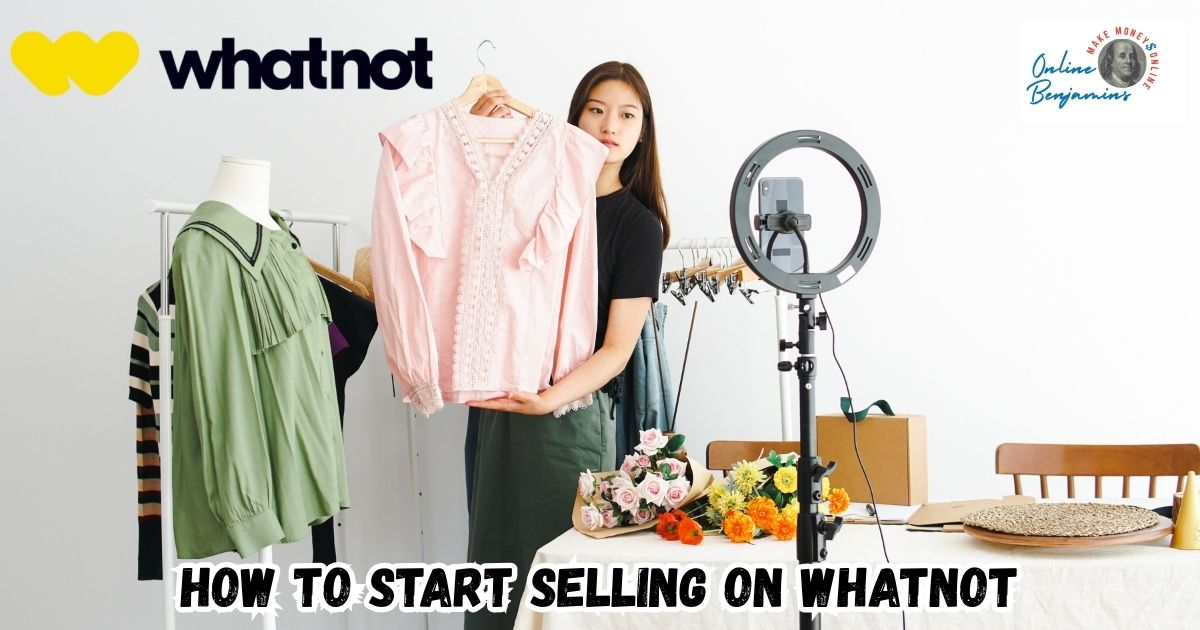
Starting to sell on Whatnot caught my interest because of its mix of live streaming and dynamic auctions. If you enjoy connecting with buyers in real time and want a different shopping experience, Whatnot offers a refreshing approach compared to traditional ecommerce.
QUICK LOOK: – 5 Steps to Start Selling on Whatnot
- Create Your Account: Download the Whatnot app (or use the website) and register with your email and a secure password.
- Apply to Sell: In the app, tap the “Sell” button or fill out the Whatnot Seller Application online.
- Describe Your Experience: You’ll be asked about your main selling category (for example, sports cards, vintage clothing, electronics) and to provide links to any existing ecommerce profiles like eBay, Mercari, or social media accounts such as Instagram or TikTok. This helps prove your ability to source and present items accurately.
- Meet the Age Requirement: Sellers need to be at least 13 years old, with parental supervision required until 18.
- Complete Seller 101: Once your application is approved (mine took just a couple of days), you must watch the onboarding videos and pass a quick Seller 101 quiz. This covers auction rules, item listing, payment handling, and basic safety for all new users.
My first experiences showed me that once you understand the steps and set up everything properly, the entire process can feel pretty smooth. This guide is based on what I learned and researched, so you know exactly how to become a Whatnot seller that stands out.
Understanding Whatnot and How the Platform Works
Whatnot combines live video shopping, auctions, and fixed price listings to create a fast-moving online marketplace. Sellers host real-time shows to showcase items, and viewers can bid on auctions or hit “Buy It Now” for instant purchases.
The social side of Whatnot feels a bit like blending Twitch’s interactivity with eBay-style sales, with features like live chat, confetti celebrations, polls, and even giveaways built in. Originally known for trading cards and Funko Pops, Whatnot now supports over 250 categories, including luxury fashion, electronics, and vintage collectibles.
Sellers get to interact with a global audience, and buyers enjoy fast-paced auctions that usually run 15 to 60 seconds at a time. The network effect and excitement around live shows drive sales and help foster loyal communities, making it a great platform if you love building relationships with your customers.
The company’s growth shows that buyers appreciate a more engaging experience. As of late 2025, Whatnot is valued at $11.5 billion and has millions of users worldwide, which means a strong demand for new sellers across all types of categories (forbes.com).
How to Start Selling on Whatnot: Application to Livestream
Becoming a Whatnot seller takes a few extra steps compared to some other platforms, but I found this actually helps make sure buyers trust that sellers are knowledgeable and reliable. Here’s my experience getting started:
- Create Your Account: Download the Whatnot app (or use the website) and register with your email and a secure password.
- Apply to Sell: In the app, tap the “Sell” button or fill out the Whatnot Seller Application online.
- Describe Your Experience: You’ll be asked about your main selling category (for example, sports cards, vintage clothing, electronics) and to provide links to any existing ecommerce profiles like eBay, Mercari, or social media accounts such as Instagram or TikTok. This helps prove your ability to source and present items accurately.
- Meet the Age Requirement: Sellers need to be at least 13 years old, with parental supervision required until 18.
- Complete Seller 101: Once your application is approved (mine took just a couple of days), you must watch the onboarding videos and pass a quick Seller 101 quiz. This covers auction rules, item listing, payment handling, and basic safety for all new users.
Once you pass onboarding, you unlock the Seller Hub where you can go live, set up Buy It Now listings, and manage your payouts. It’s a pretty simple dashboard after you become familiar with the options.
Preparing for Your First Whatnot Show
Setting up for your first show is a major step because it lets buyers know you’re organized and serious. I made a detailed checklist based on a mix of my own prep and tips from top sellers:
- Inventory Planning: Group together items you want to sell (about 10 to 30 is a good starting batch). Each listing needs clear photos (up to 8 allowed) and a short description that highlights condition, brand, and shipping weight.
- Show Scheduling: Use the app to schedule your broadcast. Choose a catchy name, upload an interesting thumbnail, and select tags that best describe your show items, like “90s Sneakers” or “Rare Pokémon Cards.”
- Shipping Supplies: Stock up on poly mailers or boxes, bubble wrap, tape, and a label printer if possible. Since shipping is charged by weight, weigh every item and package so you aren’t caught off guard by extra costs.
- Practice Runs: Use Rehearsal Mode or run a private stream for friends. Testing your internet, microphone, and camera positioning will help you feel more confident during your first public sale. Most top sellers use a ring light and a phone tripod to keep the camera steady and well-lit.
- Payment Setup: Connect your bank account via Stripe in Seller Hub to ensure smooth payouts. Double-check your settings, because payment delays often happen if something is missing here.
Having everything laid out ahead of time reduces stress when you go live and sets you up for a better first impression with buyers. If you’re short on ideas for your show presentation, try watching a few different live shows first. You’ll quickly spot which host styles feel natural and which ones keep viewers hooked. This can give you some inspiration for your own approach.
Going Live: Selling, Interacting, and Growing Your Audience
Running your first show feels exciting and a bit hectic, but that’s what makes Whatnot different from other sales channels. Here’s what I focus on during my streams:
- Start Your Broadcast: Launch your scheduled stream right from the app. Greet viewers by name and give a quick overview of what’s being sold.
- List Items: You can feature items as a live auction (set a starting bid and time limit) or as a Buy It Now (fixed price, always available). Highlight unique features and answer questions in real time.
- Create Engagement: Use live chat to joke, interact, and thank each bidder. Poll the group on which item to auction next, run a giveaway, or drop a flash auction to keep energy high.
Consistency, friendliness, and quick responses help buyers stay involved. Over time, you’ll notice repeat viewers and more active bidding as your credibility grows. Sellers who are honest about item condition and shipping times usually get higher ratings and more repeat business, which is super important for growth.
If possible, show your packaging process during the stream. This adds a sense of trust and transparency for viewers, especially for higher-value items. Sharing your packing process, even briefly, can also reassure buyers about your attention to detail.
Packing, Shipping, and Getting Paid
Selling items on Whatnot is only half of the job. After the show, buyers get a notification to pay, and you need to ship quickly to maintain trust. Here’s my step-by-step routine:
- Label Printing: Use Whatnot’s Seller Hub to download prepaid shipping labels. Double-check that each label matches the correct buyer and item.
- Packing Tips: Pack each item securely, using bubble wrap or tissue paper for delicate products. Add a personal thank-you note or sticker if you want to make your package stand out.
- Timely Shipping: Ship within 48 to 72 hours. Buyers can see their tracking instantly, and timely shipping is really important for strong reviews.
- Payouts: Once a package is marked delivered, funds are released to your connected bank account, often within two to three business days. All fees are clearly shown in the Seller Hub.
If you’re just starting and don’t have a dedicated packing area, set up a small space with all your supplies within easy reach. This minimizes errors and saves time during busy shipping days.
Selling Costs, Fees, and Other Details
Whatnot charges commission and payment processing fees on all sales. Based on recent seller updates, here’s the breakdown:
- Commission Fee: Around 8% on each sale, deducted automatically.
- Payment Processing: 2.9% of the total sale and shipping, plus $0.30 per transaction.
- Shipping: Paid by buyers at checkout, and Whatnot supplies the prepaid labels.
I factor these fees into my pricing so there are no surprises when I collect my payout. Shipping accuracy is super important since underestimating weight can eat into profits or delay payment. Careful research on average fees and trends in your selected category can help you price items competitively and cover your costs better. Also, keep an eye on seasonal promotions or fee discounts that Whatnot sometimes offers; this can really make a difference during busy periods.
Common Challenges and How to Tackle Them
Jumping into live selling on Whatnot isn’t always a breeze. Here are a few common hurdles I’ve faced and some practical ways to handle them effectively:
- Tech Glitches: Slow WiFi or bad lighting can disrupt your show. Always check your connection and lighting before going live. I keep backup items in case of small mishaps.
- Audience Size: Building a crowd takes time. Promote your show on Instagram, Discord, or other platforms where collectors hang out. Team up with other sellers to cross-promote shows.
- Shipping Hiccups: Double-check every label and item before shipping. Mistakes are rare if you stay organized with printed packing slips.
- Regulations: Certain categories may require extra proof or compliance with local rules. Always read Whatnot’s latest guidelines and be honest in your listings to avoid account holds.
If you start seeing patterns in your challenges, like certain show times bringing fewer viewers or specific inventory not selling, don’t hesitate to mix it up. Changing your show schedule, trying different inventory strategies, or even asking your audience what they’d like to see next can help break up slow periods and spark new growth.
Advanced Tips to Maximize Your Success on Whatnot
Once you’re comfortable with the basics, a few extra skills will help take your Whatnot sales to the next level:
- Visual Presentation: Invest in a good camera or phone, plus a ring light. Clean backgrounds and tidy display tables show off your items better.
- Storytelling: Tell stories about unique finds or share buying tips as you stream. Building a sense of community keeps buyers coming back.
- Experiment with Show Types: Try theme nights, bundle deals, or “sudden death” auctions where time keeps bidders on their toes.
- Track Your Metrics: Use Seller Hub reports to see which items or show times generate the best results, then adjust your schedule and listings to match buyer habits.
For even more growth, host occasional community Q&A sessions or interviews with experienced sellers. Sharing behind-the-scenes tips makes your show more interactive and adds extra value for both new and seasoned buyers.
Frequently Asked Questions
I’ve answered a few questions that came up a lot when I started selling on Whatnot:
How long does it take to get approved as a seller?
Most sellers hear back in two to five days. If you provide links to strong seller profiles (like eBay or Instagram), it usually helps speed things along.
Can I sell different types of items, or do I have to stick to one category?
Sellers are encouraged to select a primary niche, but you can branch out into different categories once you’ve built trust and a following.
What equipment do I need for my first live show?
At minimum, you’ll want a stable phone mount, a ring light, and a fast internet connection. Many sellers add a microphone for clearer audio, especially in noisy rooms.
How do I make my shows popular?
Promoting your show ahead of time and running creative giveaways or bundles really helps. Being active in the Whatnot community and supporting other sellers also increases your exposure organically.
Final Tips Before You Go Live
After selling on Whatnot for a while, I’ve found that staying organized, communicating transparently, and always aiming to make buyers feel involved are the best ways to keep sales (and fun) coming. With a bit of practice and patience, you can go from newbie to trusted seller with a list of loyal buyers and a real community around your shop.
Joining the Whatnot seller community offers a unique mix of energy and opportunity. Following these steps sets you up for a strong start and helps you keep growing as you learn what works best for you and your audience.
Check Out Our Most Recent Articles:
- Scaling Content Production Without Increasing Costs

- Balancing Content Quality And Posting Frequency

- Is The Dreaded Google “Shadow Ban” Real?

- Low Website Traffic Affecting My Google AdSense Earnings

- Best Strategies To Overcome Content Creator Burnout

- Is Amazon FBA Dead?

Wishing You Much Success in Selling on Whatnot,

- onlinebenjamins.com
- thebeachangler.com
- thesinnerinthemirror.com
- diyoutdoorsmen.com
- Facebook: Online Benjamins
- Twitter: @onlinebenjamin1
- Instagram: dotcomdinero
- YouTube: Online Benjamins
Rex
P.S. If you have any questions or are unsure of anything, I am here, and I promise I will get back to you on all of your questions and comments. Just leave them below in the comment section. Follow me on Twitter: @onlinebenjamin1, Instagram: dotcomdinero, and Facebook: Online Benjamins.


Hi,
Thanks for stopping by and congratulations for taking the first steps to building your own online business. I’ve been in business both offline and online since 1997. I would consider it an honor to help you build your business. Father of 3, life long outdoorsman with an education in Genetics and Economics. This site is about cutting through the BS and finding the real opportunities in the online world. I look forward to working with you.